

Skip to content
Photonews Logo Photonews logo
  • Home
  • Pakistan
    • Punjab
    • Sindh
    • Khyber Pakhtunkhwa
    • Azad Jammu Kashmir
    • Balochistan
    • Gilgit – Baltistan
  • World
  • Business
  • Entertainment
  • Videos
    U.S. Navy SEAL Jocko Willink in 2024 on the “Jocko Podcast” that his unit took part in the operation that captured Yaqoubi.
    Videos

    Iraq: Mustafa Yaqoubi Arrest Preceded 2004 Sadr Uprising

    September 17, 2026 2 Min Read
    Fox NFL Reporter Erin Andrews 2009 hotel video
    SportsVideos

    Fox NFL Reporter Erin Andrews Recalls Career Fears After 2009 Hotel Video

    September 12, 2026 1 Min Read
    Sharon Stone ‘Orbs’ During Stroke Recovery
    Videos

    Sharon Stone Recalls ‘Orbs’ During Stroke Recovery

    September 12, 2026 1 Min Read
  • Sports
  • Technology
  • Offbeat
  • Blog
  • Contact
Reading: WhatsApp Introduces Feature to Delete Preset Chat Filters
PhotoNews PakistanPhotoNews Pakistan
Font ResizerAa
Search
  • Home
  • Pakistan
    • Punjab
    • Sindh
    • Khyber Pakhtunkhwa
    • Balochistan
    • Azad Jammu Kashmir
    • Gilgit – Baltistan
  • World
  • Business
  • Entertainment
  • Videos
  • Sports
  • Technology
  • Offbeat
  • Blog
  • Contact
Have an existing account? Sign In
Follow US
© 2022 Photonews. All Rights Reserved.
WhatsApp Chat Filters Feature
PhotoNews Pakistan > Tech > WhatsApp Introduces Feature to Delete Preset Chat Filters
Tech

WhatsApp Introduces Feature to Delete Preset Chat Filters

Web Desk
By Web Desk Published November 8, 2024 2 Min Read
Share
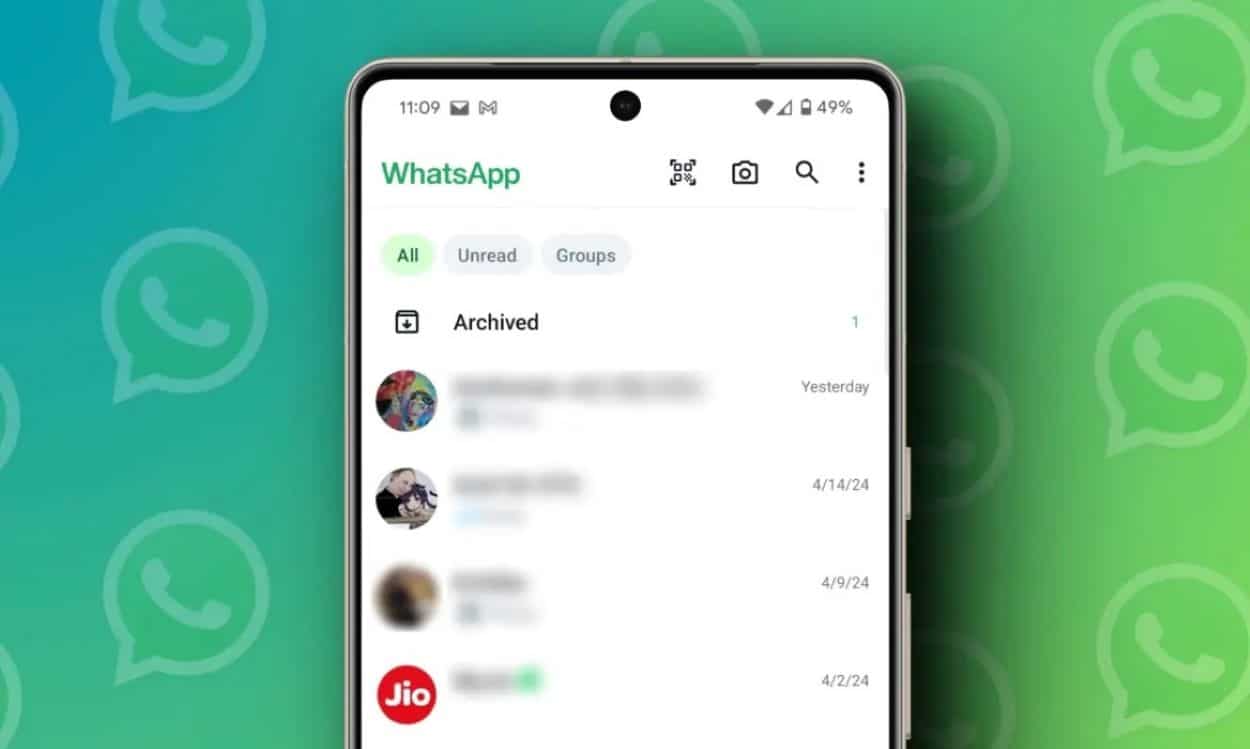
Whatsapp chats image. Photo Credits: Beebom
SHARE

WhatsApp is enhancing its chat organization capabilities by introducing a new feature that allows users to delete preset chat lists. This update follows the addition of more customization options for chat filters.

Currently, the feature is available only to beta testers who install the WhatsApp beta for Android version 2.24.23.23 from the Google Play Store, with a broader rollout planned in an upcoming update.

Users can now manage their chat lists more effectively by deleting unnecessary preset filters such as “Unread” or “Groups” directly from the chat interface, as reported by WABetaInfo. Previously, these default lists were permanent to help organize conversations.

It seems that some users can already delete their preset filters. We've updated the article! 🥳 https://t.co/FnOguZPs6z

— WABetaInfo (@WABetaInfo) November 8, 2024

Deleting these presets is straightforward: users simply tap and hold on a filter, and then select the option to remove it, making their interface more tailored to their preferences.

It’s important to note that removed default filters are not permanently deleted. Users can reinstate any filter by selecting it from the available presets in the settings, providing the flexibility to restore their setup at any time.

📝 WhatsApp beta for Android 2.24.23.23: what's new?

WhatsApp is working on a feature to delete preset chat lists, and it will be available in a future update!https://t.co/gmPHIkyQeZ pic.twitter.com/D5OVey2vPH

— WABetaInfo (@WABetaInfo) November 8, 2024

This update is particularly beneficial for those who prefer a minimalist approach and wish to declutter their visual space. For instance, users who seldom use the group chat filter can eliminate it, giving more prominence to custom lists or filters they use more frequently.

The customization also extends significant benefits to business users who may want to prioritize chats based on customer interactions or specific conversations, thereby streamlining their chat interface.

TAGGED:FeaturedNew WhatsApp Update
Share This Article
Facebook Twitter Pinterest Whatsapp Whatsapp LinkedIn Email Copy Link Print
Leave a comment

Leave a Reply Cancel reply

Your email address will not be published. Required fields are marked *

Advertisement

Bank Alfalah Pehchan account

Recent Posts

People walk along a Tel Aviv beach beside an installation commemorating the October 7 attacks.

Israel Marks October 7 Anniversary With Nova Tributes

Gold Nobel Prize medal featuring Alfred Nobel beside The Nobel Prize text.

Nobel Chemistry Prize 2026 Goes to Henri Kagan and Kenso Soai

AI-generated Tung Tung Tung Sahur character holding a blue figure against a fiery background.

Tung Tung Tung Sahur Lawsuit Tests US AI Copyright Law

Post Archives

More Popular from Photonews

The Federal Bureau of Investigation seal is shown on a wood-paneled wall.
TechTop News

FBI AI Use Tops 140 Cases, Patel Says, After Tech Overhaul

2 Min Read
UN Secretary-General Antonio Guterres
Pakistan

Guterres Arrives In Islamabad For Three-Day Pakistan Visit

2 Min Read
Jaime King posing for a photograph
Entertainment

Jaime King Officially Single After Divorce Finalised with Austin Sosa

1 Min Read
Sports

Cristiano Ronaldo Can Rejoin Portugal Squad, Says Coach Jesus

PORTO, PORTUGAL: Portugal coach Jorge Jesus said on Sunday that Cristiano Ronaldo can return to the…

October 5, 2026
Khyber Pakhtunkhwa

PTI March Heads for Islamabad to Demand Khan’s Release

ISLAMABAD: Pakistan Tehreek-e-Insaf (PTI) supporters began a march from Khyber Pakhtunkhwa on Sunday to demand the…

October 6, 2026
Business

S&P 500 Hits Record High as Nasdaq, Nvidia and AMD Rise

NEW YORK: The S&P 500 gained 44.98 points, or 0.58%, to a record high of 7,818.93…

October 7, 2026
World

US War Aims Included Iran’s Breakup, Army Spokesman Says

Iranian army spokesman Mohammad Akraminia said on Saturday that US war aims included overthrowing the Islamic…

October 4, 2026
PhotoNews Pakistan

Always Stay Up to Date

Subscribe to our newsletter to get our newest articles instantly!

    Categories

    • World
    • Pakistan
    • Punjab
    • Sindh
    • Khyber Pakhtunkhwa
    • Balochistan
    • Azad Jammu Kashmir


    • Top News
    • Business
    • Entertainment
    • Sports
    • Videos
    • Tech
    • Offbeat
    • Blog
    • About Us
    • Privacy Policy
    • Code of Ethics & Editorial Standards

    © 2026 Phototnews
    All Rights Reserved.

    Welcome Back!

    Sign in to your account

    Lost your password?