Photonews Logo Photonews logo
  • Home
  • Pakistan
    • Punjab
    • Sindh
    • Khyber Pakhtunkhwa
    • Azad Jammu Kashmir
    • Balochistan
    • Gilgit – Baltistan
  • World
  • Business
  • Entertainment
  • Videos
    Zayn Malik Drops Die For Me Music Video
    Videos

    Zayn Malik Releases Die For Me Music Video Ahead of New Album

    February 6, 2026 3 Min Read
    Masters of the Universe teaser
    Videos

    Masters of the Universe Teaser Reveals Nicholas Galitzine as He-Man

    January 22, 2026 3 Min Read
    Bridgerton Season 4 trailer
    EntertainmentVideos

    Bridgerton Season 4 Trailer Reveals Benedict’s Love Story

    December 26, 2025 2 Min Read
  • Sports
  • Technology
  • Offbeat
  • Blog
  • Contact
Reading: How to Use Facebook Profile Lock to Secure Your Privacy
PhotoNews PakistanPhotoNews Pakistan
Font ResizerAa
Search
  • Home
  • Pakistan
    • Punjab
    • Sindh
    • Khyber Pakhtunkhwa
    • Balochistan
    • Azad Jammu Kashmir
    • Gilgit – Baltistan
  • World
  • Business
  • Entertainment
  • Videos
  • Sports
  • Technology
  • Offbeat
  • Blog
  • Contact
Have an existing account? Sign In
Follow US
© 2022 Photonews. All Rights Reserved.
Facebook Profile Lock
PhotoNews Pakistan > Blog > How to Use Facebook Profile Lock to Secure Your Privacy
Blog

How to Use Facebook Profile Lock to Secure Your Privacy

Tahir Shabbir
By Tahir Shabbir Published February 26, 2025 3 Min Read
Share
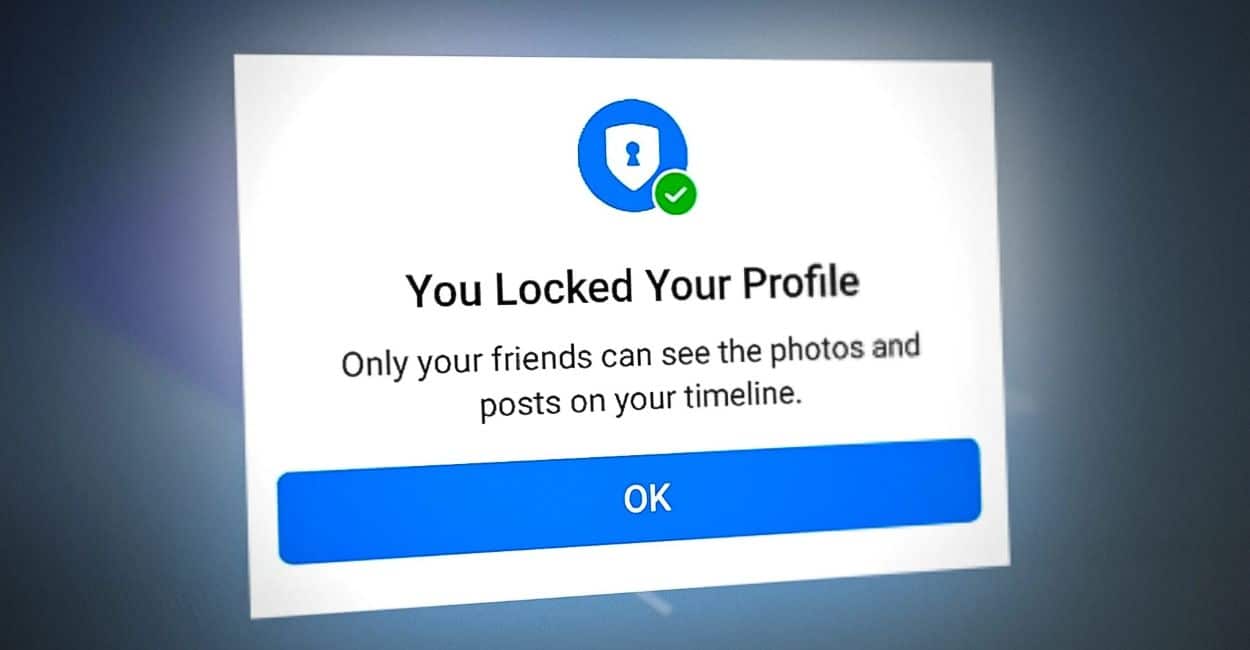
Facebook Profile Lock. Photo Credits: Appuals
SHARE

Facebook’s “Profile Lock” feature is crucial for enhancing privacy on one of the world’s most popular social media platforms. This guide explores the feature in-depth, covering its benefits and providing step-by-step instructions on activating or deactivating it on mobile and desktop devices.

What is Facebook Profile Lock?

Facebook Profile Lock actively safeguards user privacy by restricting profile visibility. Only friends can view full-size profile pictures, cover photos, stories, and new posts upon activation. It automatically converts previous public posts to friends-only, proving essential for users seeking protection from strangers or potential stalkers.

Activating Profile Lock on Mobile Devices To lock your Facebook profile on a mobile device:

  1. Open the Facebook app and log into your account.
  2. Tap your profile picture or the menu, then select your name to go to your profile.
  3. On your profile page, tap the three dots beside the “Add to Story” button.
  4. Select “Lock Profile” from the menu.
  5. Read the details on locking, then tap “Lock Your Profile” to confirm.

Activating Profile Lock on Desktop To lock your profile on a desktop:

  1. Log into your Facebook account at facebook.com.
  2. Click your profile picture or name to visit your profile page.
  3. Click the three dots next to “Edit Profile” and choose “Lock Profile” from the dropdown menu.
  4. A prompt will explain what Profile Lock entails. Click on “Lock Your Profile” to activate.

Benefits of Using Facebook Profile Lock Using Profile Lock offers several benefits:

  • Enhanced Privacy: Locking your profile restricts strangers from viewing your photos and posts.
  • Controlled Audience: You can share content securely, knowing only your friends can view it.
  • Protection Against Misuse: Reduces the likelihood of your content being misused or shared without consent.
  • Peace of Mind: Offers reassurance that your personal information is safe from unknown viewers.

How to Unlock Your Facebook Profile If you choose to make your profile more accessible again, the process is simple:

  • On Mobile: Go to your profile, tap the three dots, select “Unlock Profile,” then confirm by tapping “Unlock Your Profile.”
  • On Desktop: Visit your profile, click the three dots, choose “Unlock Profile,” and confirm by clicking “Unlock Your Profile.”

Frequently Asked Questions (FAQs)

  • What changes when I lock my profile? Only your friends can view full-size images and posts; everyone else sees a limited profile.
  • Who can see my locked profile? Friends see your full profile, while others see only your name and a reduced-size profile picture and cover photo.
  • Are locked profiles still visible? Yes, they appear in search results, but non-friends can only see limited information, ensuring privacy.

TAGGED:Featured
Share This Article
Facebook Twitter Pinterest Whatsapp Whatsapp LinkedIn Email Copy Link Print
Leave a comment

Leave a Reply Cancel reply

Your email address will not be published. Required fields are marked *

Advertisement

Recent Posts

Japan Snowfall

Japan Heavy Snowfall Kills Dozens, Injures Hundreds Nationwide

Pakistan India T20 World Cup match

Pakistan Refuses to Play India in T20 World Cup, Writes to ICC

China Microwave Weapon

China Gains Lead With High-Power Microwave Weapon Technology

Post Archives

More Popular from Photonews

silver prices plunge global market
Business

Silver Prices Plunge After Sharp Rally, Leaving Investors Exposed

3 Min Read
Blast Imambargah Islamabad
Pakistan

Blast Reported Near Imambargah in Islamabad Amid Heightened Security Concerns

2 Min Read
GTA 6 mysterious character
Tech

GTA 6 Release Date Confirmed for November 2026

2 Min Read
Sports

Volkanovski Retains UFC Featherweight Title at UFC 325

Australian champion Alexander Volkanovski reinforced his dominance of the UFC featherweight division on Sunday with a…

February 1, 2026
Entertainment

Are Kim Kardashian and Lewis Hamilton Dating?

Speculation around Lewis Hamilton’s personal life has resurfaced, with fresh rumours linking the Formula 1 star…

February 2, 2026
Entertainment

Kim Kardashian Spotted with Lewis Hamilton in Paris

New dating speculation has linked Kim Kardashian with Formula One champion Lewis Hamilton after both arrived…

February 3, 2026
BusinessTop News

Oil Prices Drop 4% as US–Iran Tensions Ease

Global oil prices fell sharply on Monday after Donald Trump signalled possible de-escalation between the United…

February 2, 2026
PhotoNews Pakistan

Always Stay Up to Date

Subscribe to our newsletter to get our newest articles instantly!

Categories

  • World
  • Pakistan
  • Punjab
  • Sindh
  • Khyber Pakhtunkhwa
  • Balochistan
  • Azad Jammu Kashmir


  • Top News
  • Business
  • Entertainment
  • Sports
  • Videos
  • Tech
  • Offbeat
  • Blog
  • About Us
  • Privacy Policy
  • Code of Ethics & Editorial Standards

© 2026 Phototnews
All Rights Reserved.

Welcome Back!

Sign in to your account

Lost your password?